

Description
Download Wix – Free Website Builder, HTML5, Templates, Creative Website
Overview
Wix is a free online website builder designed to empower individuals and businesses to create visually appealing, fully functional websites without requiring technical expertise. The platform is particularly well-suited for creative professionals, entrepreneurs, small businesses, and bloggers who prioritize design quality and user experience. It enables users to launch websites quickly using a drag-and-drop interface, making it accessible even to those with no coding background. The software supports both Flash and HTML5-based templates, offering flexibility in design and compatibility with modern browsers. Real-world use cases include personal portfolios, online stores, event websites, and creative agency showcases. While the developer did not provide additional details about the company’s background, Wix has established a strong reputation through awards and recognition in the web development space. Its growing ecosystem of tools, including Chrome extensions, further enhances accessibility and usability for users across different workflows.
Key Features & Capabilities
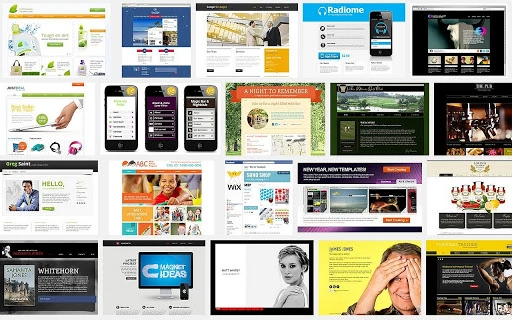
- Extensive Template Library: Wix offers hundreds of professionally designed templates in both Flash and HTML5 formats, catering to diverse industries such as business, education, photography, and creative arts. These templates are fully customizable, allowing users to adapt layouts, colors, fonts, and content to match their brand identity.
- Drag-and-Drop Editor: The intuitive interface enables users to build websites by simply dragging elements onto the canvas. This streamlines the creation process and reduces the learning curve for beginners while still offering depth for advanced users.
- Rich Multimedia Integration: Users can embed high-quality photo galleries, video players, animations, and interactive elements directly into their sites, making it ideal for artists, photographers, and designers seeking to showcase their work dynamically.
- Chrome App Integration: A companion Chrome extension provides quick access to Wix filters, tutorials, templates, and design tools, allowing users to create and edit websites directly from their browser without leaving the current tab.
- Customization Flexibility: Beyond pre-built templates, Wix supports blank templates for users who prefer to build from scratch, enabling full creative control and technical customization for experienced developers or designers.
User Interface, Workflow & Performance
The user interface of Wix is structured around a clean, visual workspace that emphasizes ease of navigation and real-time preview. The main dashboard provides quick access to site management, template selection, and editing tools. Navigation is intuitive, with clearly labeled panels and contextual menus that respond dynamically to user actions. Workflow efficiency is enhanced by the drag-and-drop functionality, which allows users to rearrange elements instantly without needing to write code or understand complex configurations. The editor updates changes in real time, providing immediate visual feedback. While exact performance details were not specified, the software operates as a web-based application with a lightweight desktop component of 2.5MB, suggesting low resource consumption. General software behavior patterns indicate stable operation during typical use, though performance may vary depending on internet speed and browser performance. The developer did not specify resource usage details, including CPU or RAM behavior.
Compatibility & System Requirements
Wix is compatible with both Windows and Mac operating systems, ensuring broad accessibility across personal computing platforms. The software version is 2.0, with a file size of 2.5MB, indicating a lightweight installation footprint. This small size suggests minimal impact on system storage and quick setup times. The developer did not provide additional system requirements, such as minimum RAM, processor speed, or disk space. Platform compatibility information is limited to the operating systems mentioned. Users should ensure their system meets general web application requirements, including a modern browser and stable internet connection. For optimal performance, it is recommended to use the latest version of Chrome, Firefox, or Safari. The software is designed to function primarily through web access, with the desktop component serving as a launcher or integration tool.
Pros and Cons
Pros
- Free access to a wide range of professional templates
- Intuitive drag-and-drop interface suitable for beginners
- Strong support for multimedia and creative content
- Chrome App integration for seamless workflow
- Lightweight desktop component (2.5MB)
Cons
- Exact system requirements were not listed
- Performance may vary based on internet connection and browser
- Advanced e-commerce features may require paid upgrades
- Dependence on web connectivity for full functionality
- Limited offline capabilities
FAQ Section
Is Wix compatible with Windows and Mac?
Yes, Wix is compatible with both Windows and Mac operating systems, allowing users across different platforms to access the website builder.
Is Wix safe to use?
As a widely recognized platform with industry awards, Wix is considered secure for creating and hosting websites. It uses standard web security protocols to protect user data.
How often does Wix release updates?
Wix regularly updates its platform to improve features, performance, and security. The latest version is 2.0, released on April 15, 2024.
What type of license does Wix offer?
Wix is offered as a free software tool with optional paid upgrades for advanced features and premium templates.
Can I use Wix offline?
Wix primarily requires an internet connection for full functionality. While the desktop app is lightweight, it does not support offline editing or publishing.
Final Thoughts + CTA
Wix stands out as a powerful, user-friendly website builder that balances creativity with accessibility. Its rich template library, intuitive interface, and multimedia capabilities make it ideal for creatives, small businesses, and startups looking to establish a strong online presence. The integration with Chrome and the availability of free tools enhance productivity and streamline the design process. While advanced e-commerce users may need to evaluate pricing tiers, the free version offers substantial value. For anyone seeking a visually stunning, fully functional website without technical barriers, Wix delivers on its promise. Download Wix now and start building your dream site today.
Guides & Tutorials for Wix Free Website builder - Review App for Chrome
How to install Wix Free Website builder - Review App for Chrome
- Click the Preview / Download button above.
- Once redirected, accept the terms and click Install.
- Wait for the Wix Free Website builder - Review App for Chrome download to finish on your device.
How to use Wix Free Website builder - Review App for Chrome
This software is primarily used for its core features described above. Open the app after installation to explore its capabilities.
User Reviews for Wix Free Website builder - Review App for Chrome 0
No reviews found





